Grocery Price List Template: A Practical Guide for Pakistani Shops
Use a grocery price list template to organize pack sizes, retail and wholesale rates, stock notes, and clear price-change rules for Pakistani shops.
A grocery price list template is a reusable sheet for recording each product, its pack size, selling price, and any terms a buyer needs before ordering. Use the copyable worksheet below to build a list for a grocery shop, online retailer, café, or bakery, then choose whether to share it as a customer-facing price list or keep it as an internal working file.
The important decision is what the list must help someone do: compare products, place an order, or update prices accurately. A shopkeeper selling pantry staples may need pack sizes and wholesale tiers; a household-facing online seller may need a clear retail price and an “as of” date. One sheet can hold the working data, but a customer copy should show only information that is confirmed and useful to that buyer.
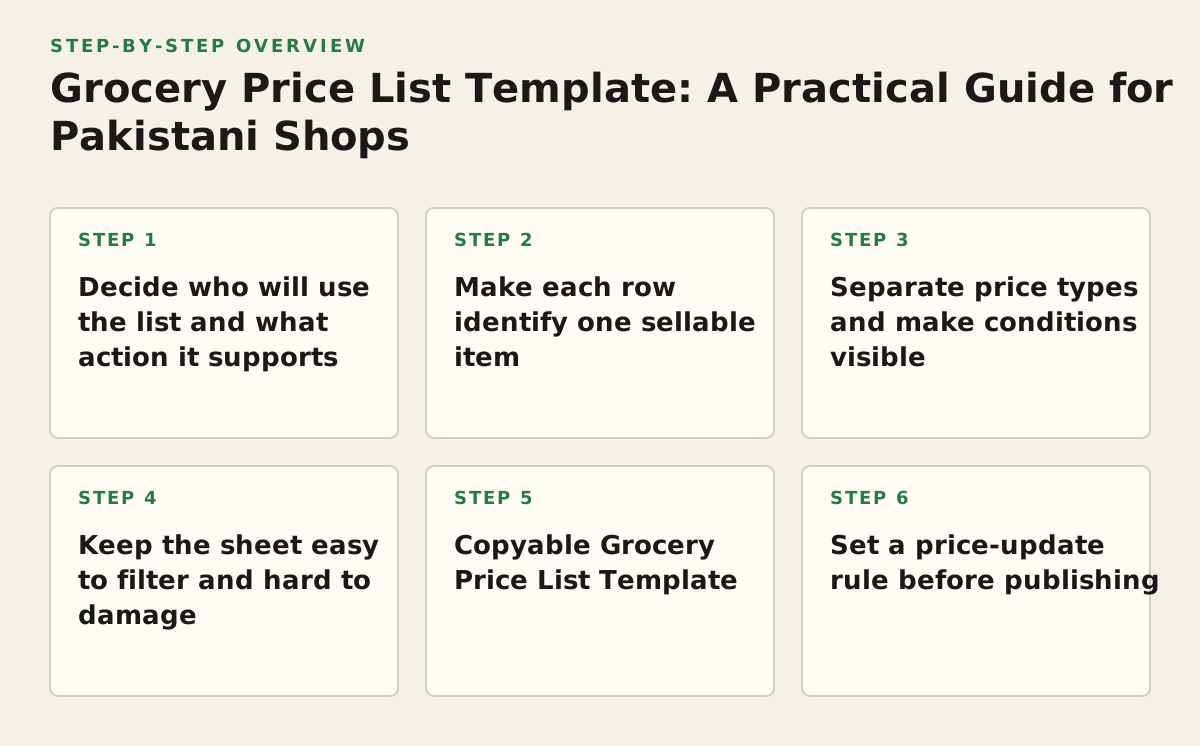
1. Decide who will use the list and what action it supports
Start with the reader’s task, not the spreadsheet design. A price sheet for a neighbourhood shop’s customers should be quick to scan. A buying sheet for a café may need pack size, minimum order quantity, and a way to request a bulk quote. Mixing both audiences without clear labels can make the list harder to trust: a buyer may mistake an internal cost or a conditional bulk rate for the price they will pay.
Choose one primary use
- Customer list: helps a buyer identify an item, size, and confirmed selling price.
- Stock and buying sheet: helps staff compare products and record supplier or replenishment information.
- Wholesale quotation sheet: gives a business buyer product details and the conditions attached to a quoted rate.
Why it works: the primary use determines which fields belong in the first view. Failure mode: treating one price as universal when rates depend on pack size, order quantity, or quotation terms. For example, a bakery asking about sweetener in bulk should not be shown an unlabeled per-pack retail figure as if it were a confirmed bulk offer.
For a customer list, put the product name, pack size, and retail price near the left. For a quotation, add the date, buyer or quote reference, and any confirmed order conditions. If you sell sweeteners such as jaggery gur or jaggery powder, distinguish the product form and pack size rather than listing both simply as “jaggery.”
2. Make each row identify one sellable item
A row should represent one product in one pack size, not a broad category. “Jaggery powder, 500 g” and “Jaggery powder, 1 kg” need separate rows if they have different prices or are ordered as separate units. The same rule applies to rice grades, tea pack sizes, or different varieties of lentils. This makes filtering and price changes less error-prone.
Use fields that prevent mix-ups
- Item name: a clear product name, including a distinguishing type or variety where relevant.
- Pack size and unit: for example, “500 g,” “1 kg,” or “1 L.” Never leave the unit implied.
- Item code: a shop’s own short identifier, if it helps staff find the correct product.
- Category: such as sweeteners, grains, pulses, or spices.
Why it works: separate rows let a buyer compare like with like and let staff change one pack’s details without accidentally changing another’s. Failure mode: putting several pack sizes in one cell, such as “500 g / 1 kg,” while showing only one price. A buyer cannot tell which size that price covers.
For an internal spreadsheet, use a consistent item code such as “SWT-01” for a product record, but do not treat a home-made code as a recognized barcode. GS1 describes a Global Trade Item Number (GTIN) as an identifier for trade items; where standardized product identification is needed, check the applicable GS1 guidance rather than assuming an internal SKU can replace it (GS1’s GTIN overview).
3. Separate price types and make conditions visible
Never leave a price column’s meaning to guesswork. Label it “Retail price,” “Wholesale quote,” or another accurate description, and record the currency. If a business buyer receives a rate only after the order size or pack mix is confirmed, mark it as “Request a quote” rather than publishing an unsupported figure.
Why it works: a clear label connects the number to the transaction it describes. Failure mode: putting retail and wholesale rates in adjacent columns with no explanation of when each applies. That invites a buyer to select the lower number without meeting its conditions.
Keep extra charges and uncertainty separate
- State whether a listed price is per pack, per kilogram, or per another unit.
- Show delivery charges separately if they are known and relevant; do not silently fold an unconfirmed charge into the item price.
- Record taxes or other required charges only according to the rules applicable to the seller and transaction. If unsure, verify the treatment before publishing.
- Use a note for a genuine condition, such as “bulk rate subject to confirmed quantity,” rather than squeezing it into the product name.
As an illustrative example, a fictional shop might enter “PKR 320 per 500 g pack” in its customer list and keep a separate wholesale field marked “Quote after quantity confirmation.” Those sample details are not a market price or a Zaiqa-e-Cholistan price; the point is to make the unit and condition explicit. Before sharing any live sheet, check each figure against the seller’s current approved price record.
4. Keep the sheet easy to filter and hard to damage
A spreadsheet is useful only if staff can find a product and make routine changes without breaking the rest of the list. Keep one header row, one item per row, and one kind of information per column. Avoid merged cells inside the data range, blank rows between products, and manually typed category names that vary in spelling.
Why it works: consistent columns support sorting, filtering, and review. Failure mode: sorting just the price column while leaving product names behind, which can attach the wrong price to an item. Select the whole data range before sorting and check that every row remains intact.
In Google Sheets, the official help explains how to create dropdowns for controlled entries and how to sort or filter data; those tools can help standardize fields such as category or status (dropdown lists; sorting and filtering). In Excel, Microsoft documents tables and data validation, which can be used to structure a list and restrict entries in selected cells (Excel tables; data validation). Choose the spreadsheet your staff can maintain; a feature is not helpful if nobody uses it consistently.
5. Copyable Grocery Price List Template
Copy this worksheet into a spreadsheet or document. Fill in the prompt column first, then add one row per product and pack size. Use the same currency and unit conventions throughout. For a customer-facing version, remove internal notes and any fields that do not help the buyer.
| Field | Prompt or question | Your answer / input |
|---|---|---|
| List purpose | Who will use this list, and what should they do with it? | [Customer list / stock sheet / wholesale quote] |
| List date | When was this information checked or prepared? | [Date] |
| Product name | What exact item is being sold? | [Product name and type] |
| Pack size and unit | How much product is in one sellable pack? | [For example: 500 g] |
| Item code | What internal code helps staff identify this item, if used? | [Code or N/A] |
| Price type and amount | Is this retail, wholesale, or a quote? What is the amount and currency? | [Type, amount, currency, and “per” unit] |
| Price conditions | Does the price depend on quantity or another confirmed condition? | [Condition or “None stated”] |
| Stock or order note | What should the buyer or staff know before ordering? | [Verified note or “Check before confirming”] |
| Checked by | Who verified the entry against the current source of truth? | [Name or role] |
Illustrative filled example
Purpose: customer list for a fictional grocery shop. Date: [date checked]. Product: jaggery powder. Pack: 500 g. Code: SWT-02. Price: illustrative PKR 300 per 500 g pack. Conditions: retail price; no bulk rate shown. Order note: confirm availability before accepting an order. Checked by: shop manager.
The example is a format demonstration, not a current quote, recommended retail price, or claim about any named seller’s stock. Adapt the fields to the buyer’s task: a shop may need an internal supplier reference, while a café comparing bulk options may need a separate quotation date and confirmed quantity. Keep a field only if someone will use it to decide, order, verify, or update.
6. Set a price-update rule before publishing
A list becomes unreliable when no one knows which copy is current. Choose one working file as the source of truth, assign responsibility for checking changes, and put a visible “last checked” date on any copy shared with buyers. If you export a PDF or send a screenshot, it can become outdated even while the working spreadsheet is corrected.
Why it works: a named owner and a dated copy give staff a way to spot stale information. Failure mode: staff editing different copies in messaging apps or on separate devices without reconciling them. One version may show a new pack size while another retains the old price.
Use a simple change log
- Record the item, old entry, new entry, date, and person who approved the change.
- Note the reason if it helps explain a supplier update, pack change, or correction.
- Recheck both the amount and the unit; “per pack” can become misleading if the pack size changed.
- Remove or clearly mark discontinued items instead of leaving an old price that looks available.
For example, if a supplier changes a product’s pack size, update the item description and price basis together. Do not copy the former price into the new pack’s row merely because the product name looks similar. When the price or availability is unknown, mark it for confirmation rather than presenting an old figure as current.
7. Implement the list in a controlled sequence
- Choose the audience and format. Decide whether the first version is for customers, staff, or business buyers. Select a spreadsheet for a frequently updated working list; export a dated customer copy only when needed.
- Collect confirmed product details. Start from items you actually intend to list. Verify product name, size, unit, and price against the records available to the seller. Leave uncertain entries flagged for checking.
- Build one row per sellable pack. Add the template fields, use consistent category names, and separate retail prices from conditional quotes.
- Check the sheet as a buyer would. Ask someone unfamiliar with the file to find a product, identify its pack size, and interpret the price. Fix any label that requires verbal explanation.
- Assign update ownership and publish a dated copy. Name the person or role responsible for changes, retain the working version, and label shared copies with the date checked.
- Review after a product or price change. Check the affected row and any customer copy already distributed. Confirm that item, unit, price type, and conditions still agree.
This sequence is more useful than decorating the sheet first: accurate product identity and price meaning matter more than color. If your list includes traditional sweeteners, Zaiqa-e-Cholistan sells jaggery gur, jaggery powder, raw sugar, and other pantry powders, with wholesale supply and delivery across Pakistan described in its business information; confirm current product details and order terms directly with the seller. See Zaiqa-e-Cholistan for the brand’s range and contact options.
Authored with NotFair SEO
Explore Our Premium Pantry Collection
Discover clean-label essentials across sweeteners, spices, seeds, and wellness powders.
Shop Products